Many tabs, many projects
Users often keep tabs open across parallel tasks and lose track of why each page was opened.
Case Study
A privacy-first Chrome extension that helps users recover context across many open browser tabs
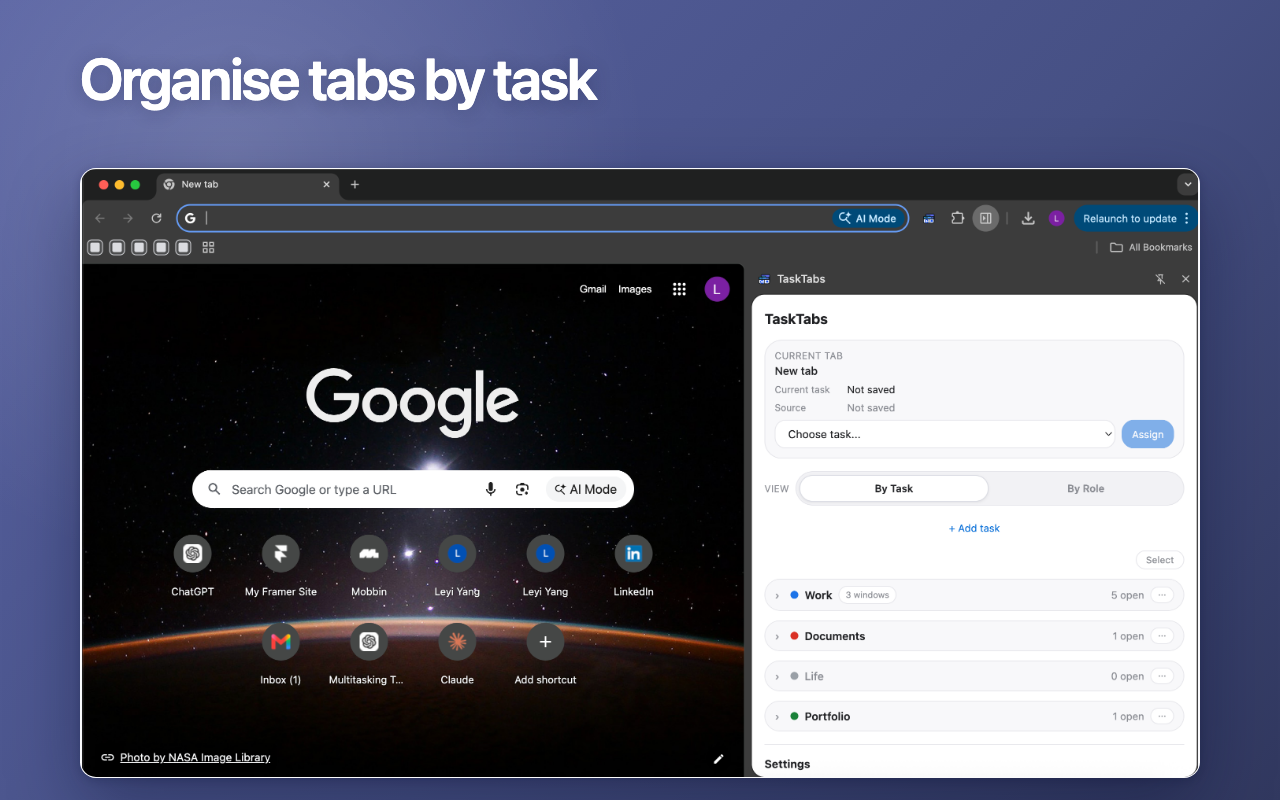
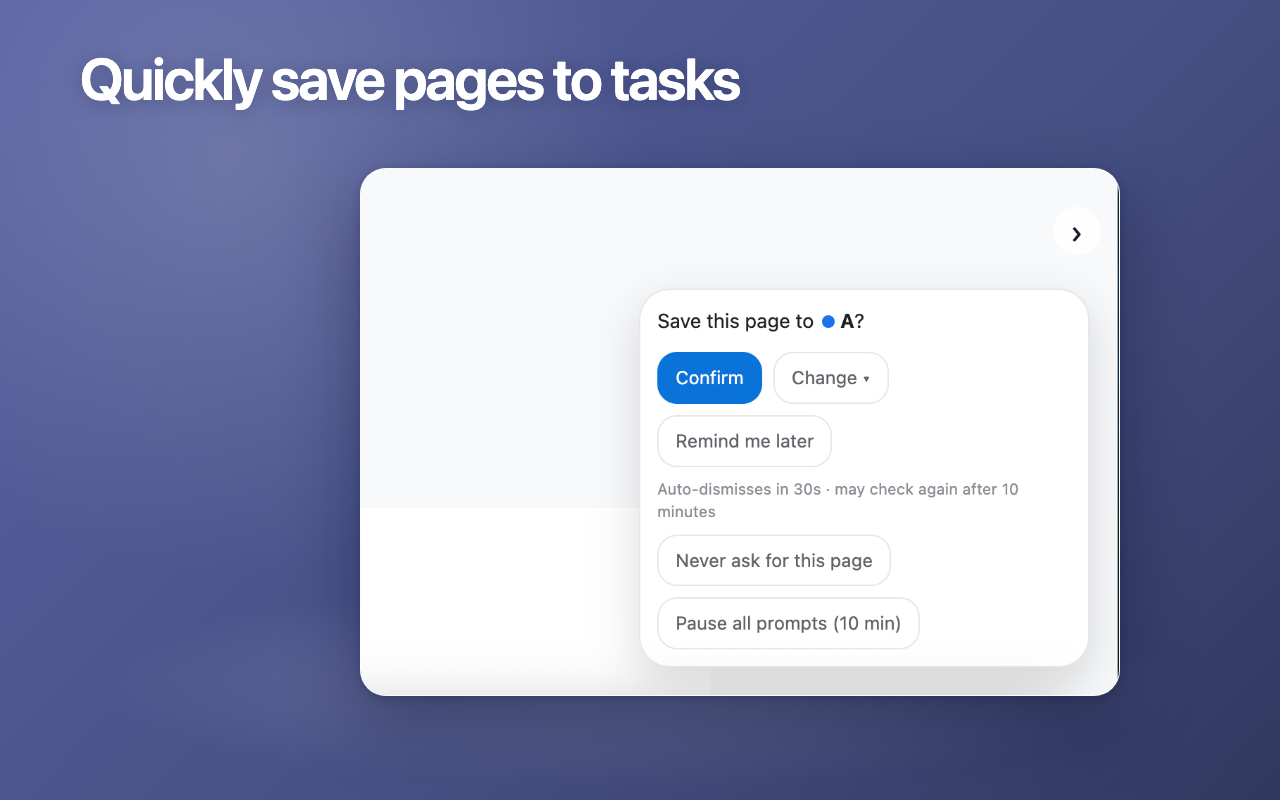
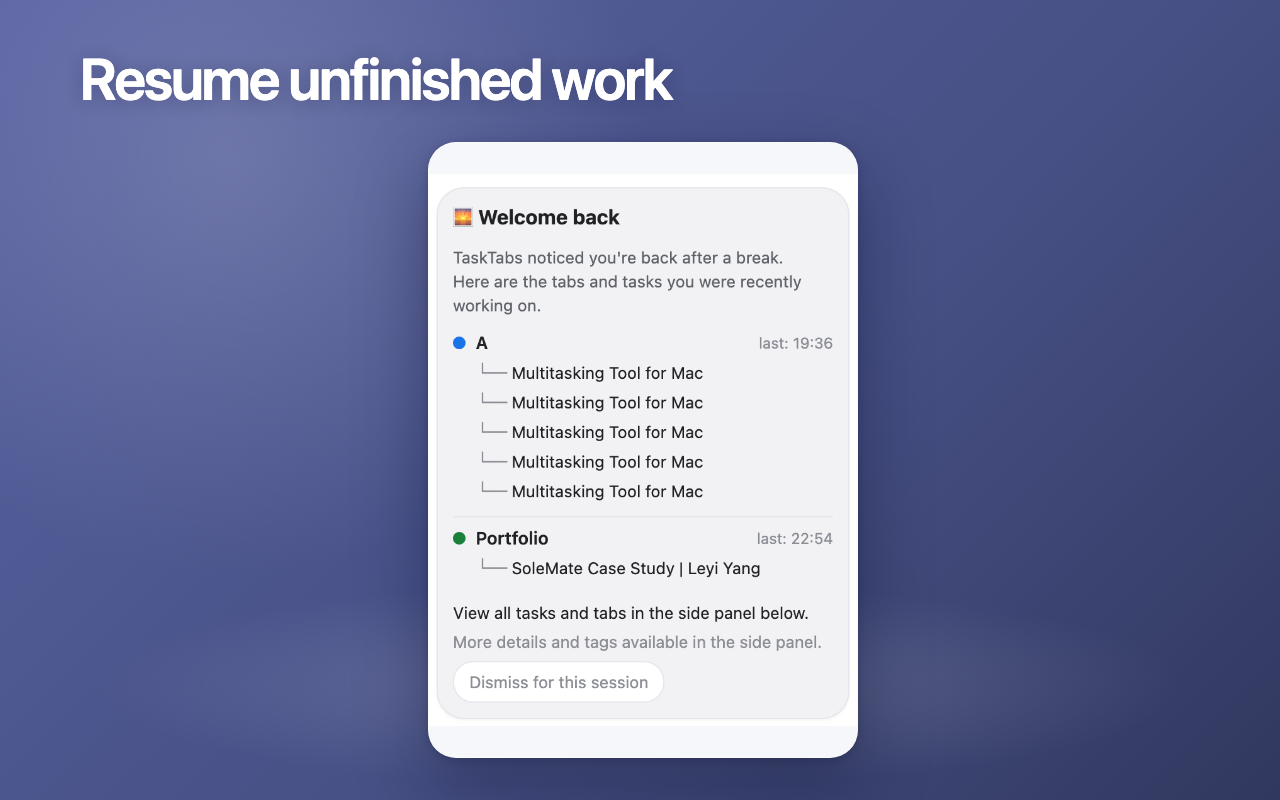
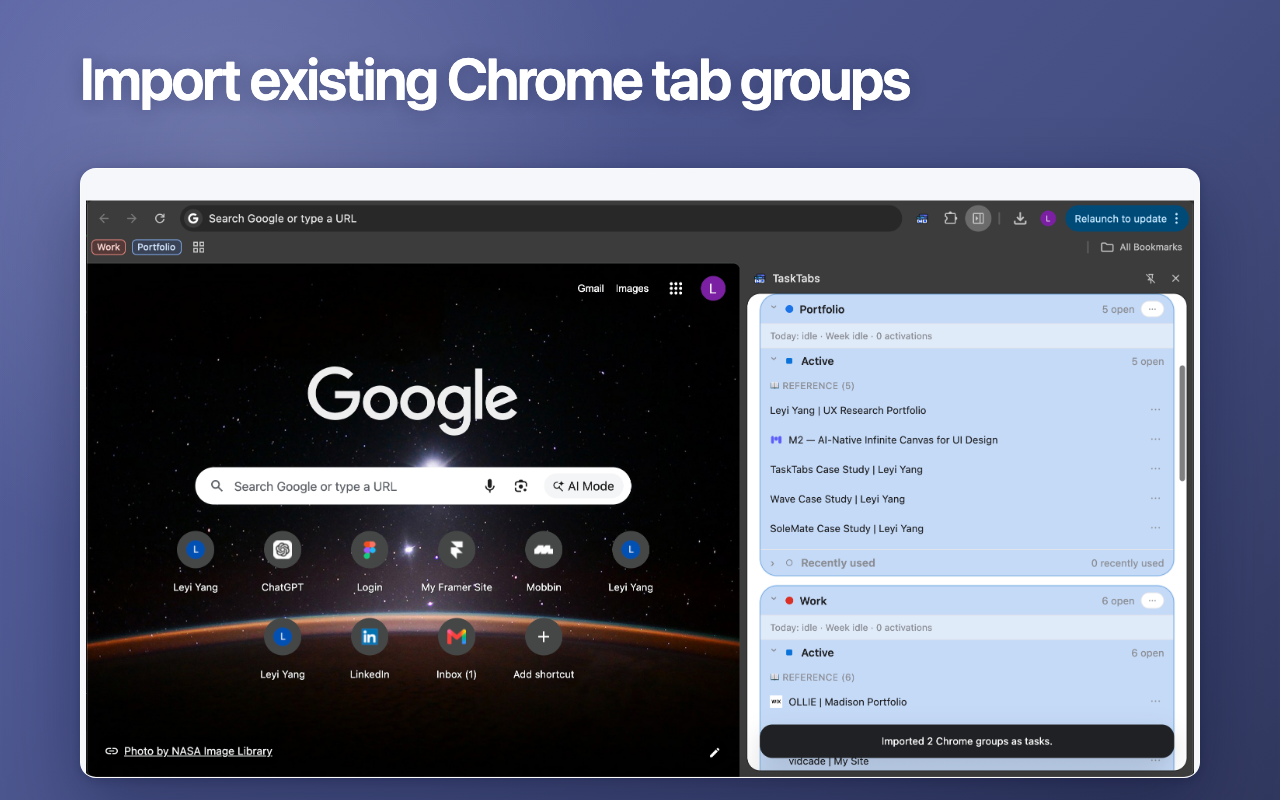
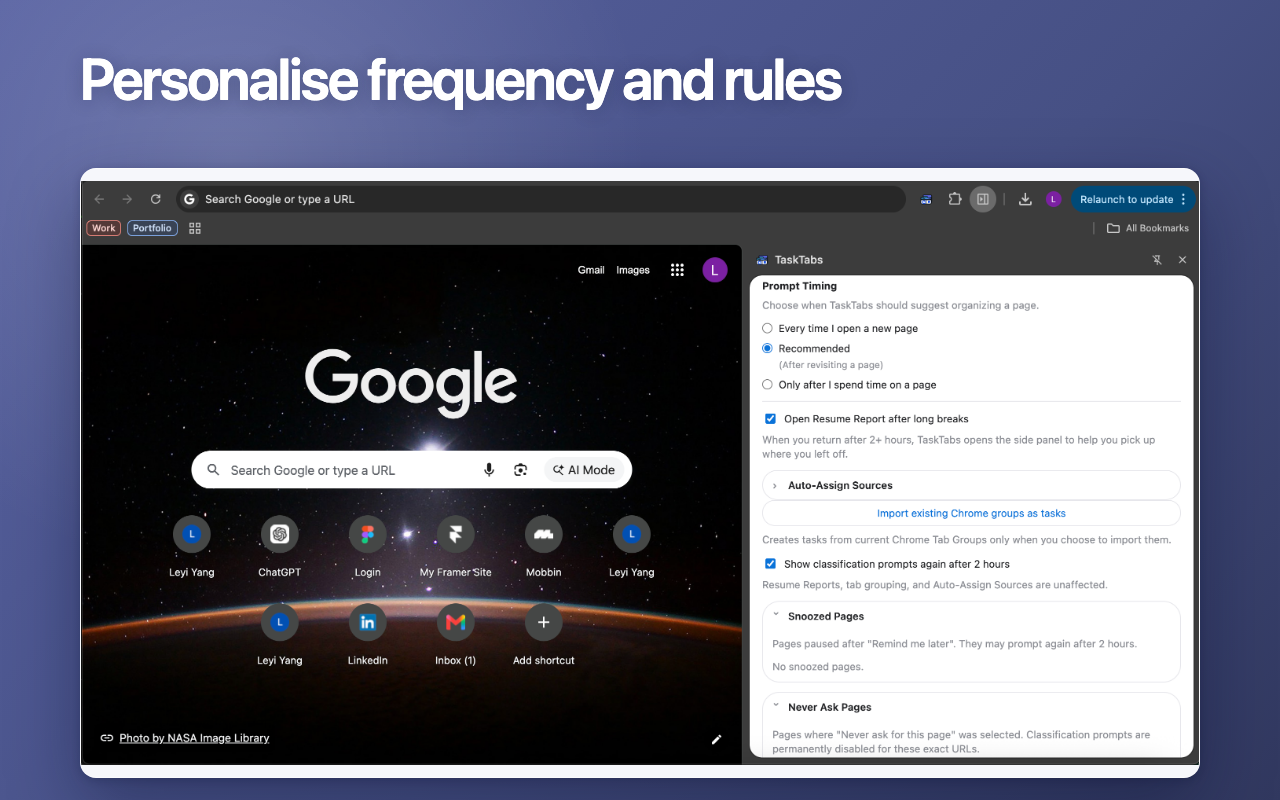
TaskTabs is an in-progress Chrome extension for browser-heavy users who switch between multiple ongoing projects and lose context after returning to unfinished work. It organises live tabs around user-defined tasks, builds on Chrome's native Tab Groups, and provides a Side Panel dashboard for assigning, resuming, and managing work context. Check: TaskTabs
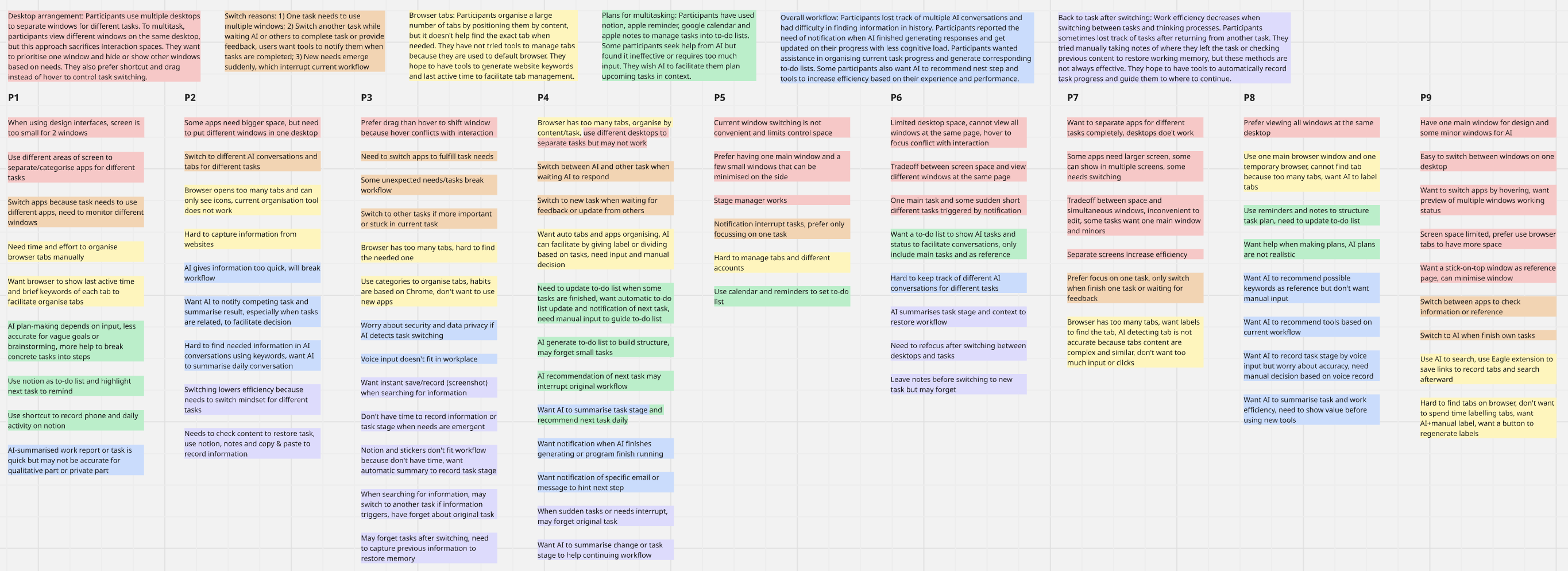
Browser tabs often become informal memory aids. Users keep pages open because they need the context later, but parallel projects, interruptions, and similar-looking tabs make it difficult to resume work without reconstructing what each page was for.
Users often keep tabs open across parallel tasks and lose track of why each page was opened.
Returning to unfinished work requires reconstructing task intent, useful pages, and next actions.
Users need support inside existing browser behaviour, not another heavy task-management workspace.
These principles guided feature prioritisation, interaction design, and technical decisions throughout the project. Here is the privacy policy.
Prioritise lightweight contextual assistance over frequent user input.
Every automated action can be inspected, adjusted, or overridden.
Layer onto normal browser behaviour instead of forcing a new workflow.
Collect only what is necessary: metadata and user actions, not page content.
Use clear, predictable rules instead of complex automated decisions.
Build on Chrome Tab Groups and the Side Panel to reduce learning effort.
TaskTabs helps users manage browser workspaces through lightweight automation, while ensuring they remain in control of how pages are organised, retrieved, and resumed across work sessions.
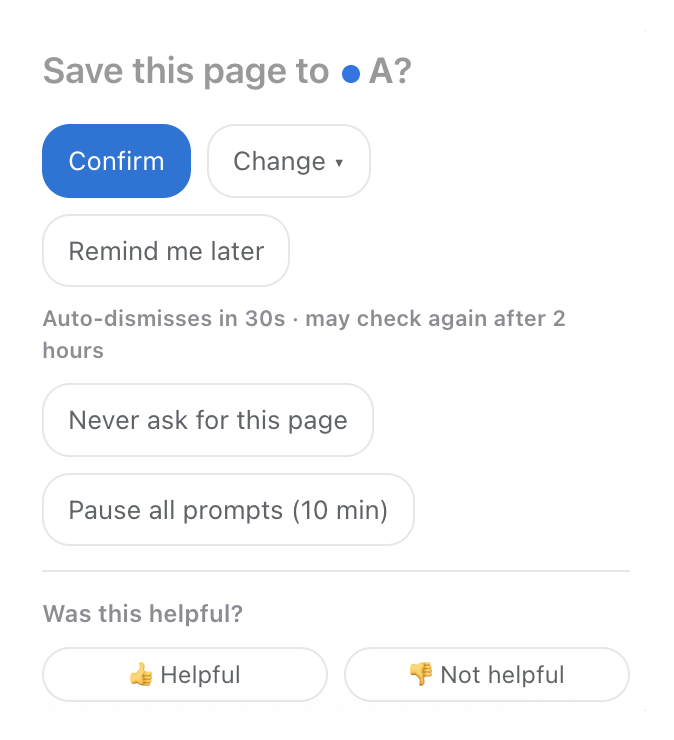
Lightweight prompts appear only when organisation is likely to be valuable, with configurable timing so users can tune interruption level.
The product encourages structure without asking users to classify every page manually.
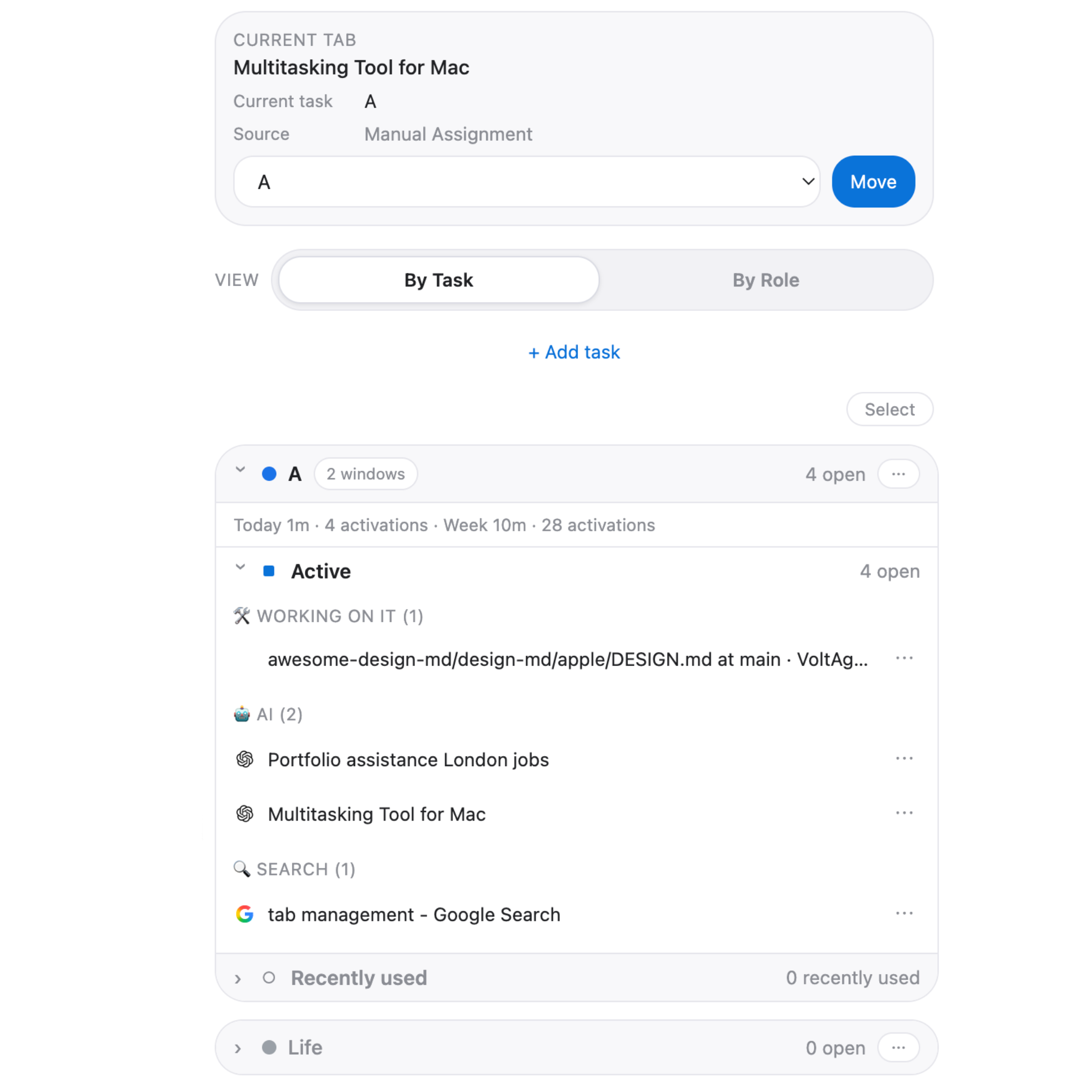
Tabs are grouped around user-defined tasks so pages can be understood by purpose, not just title or window position.
Users can recognise which pages belong together and return to a project without rebuilding the workspace from memory.
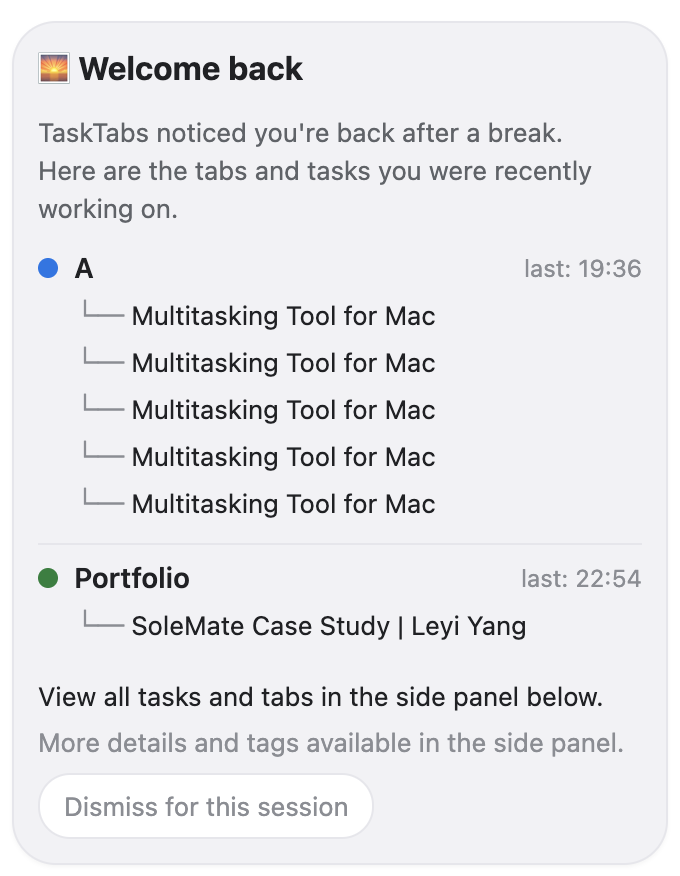
Resume Reports surface recently active tasks, useful pages, and work context after meetings, breaks, or overnight interruptions.
Users can restart faster without retracing browser history or searching through many similar tabs.
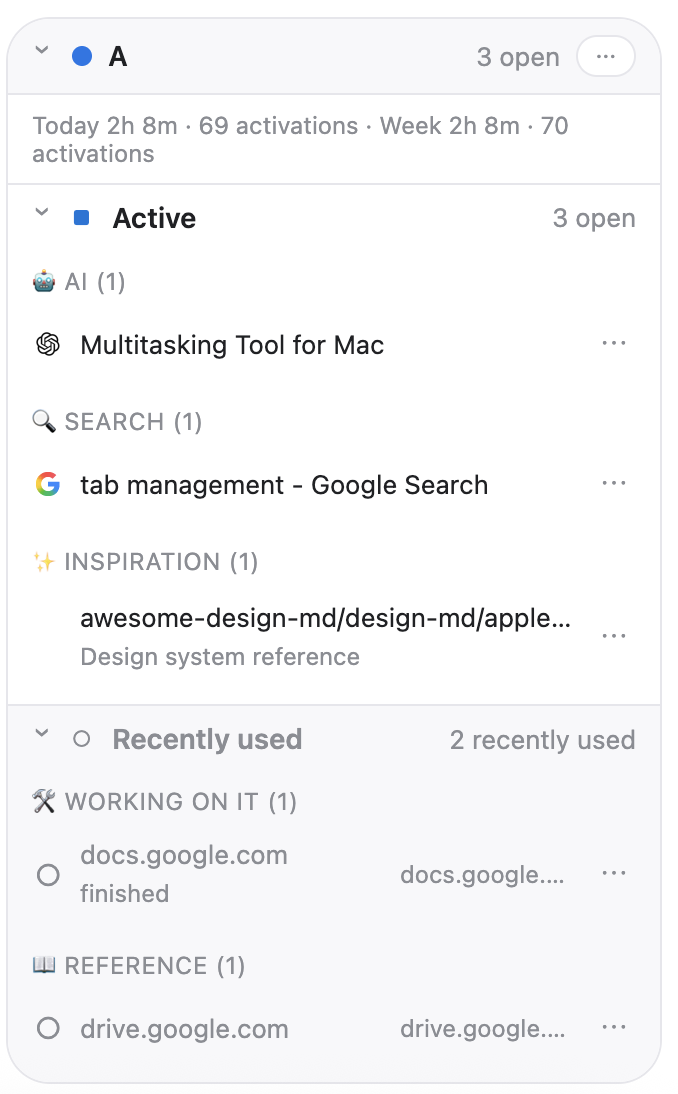
Task views surface page roles, recent activity, notes, and browser group relationships to support recognition-based retrieval.
Users can distinguish similar pages and keep workspace context visible without switching to a separate task manager.
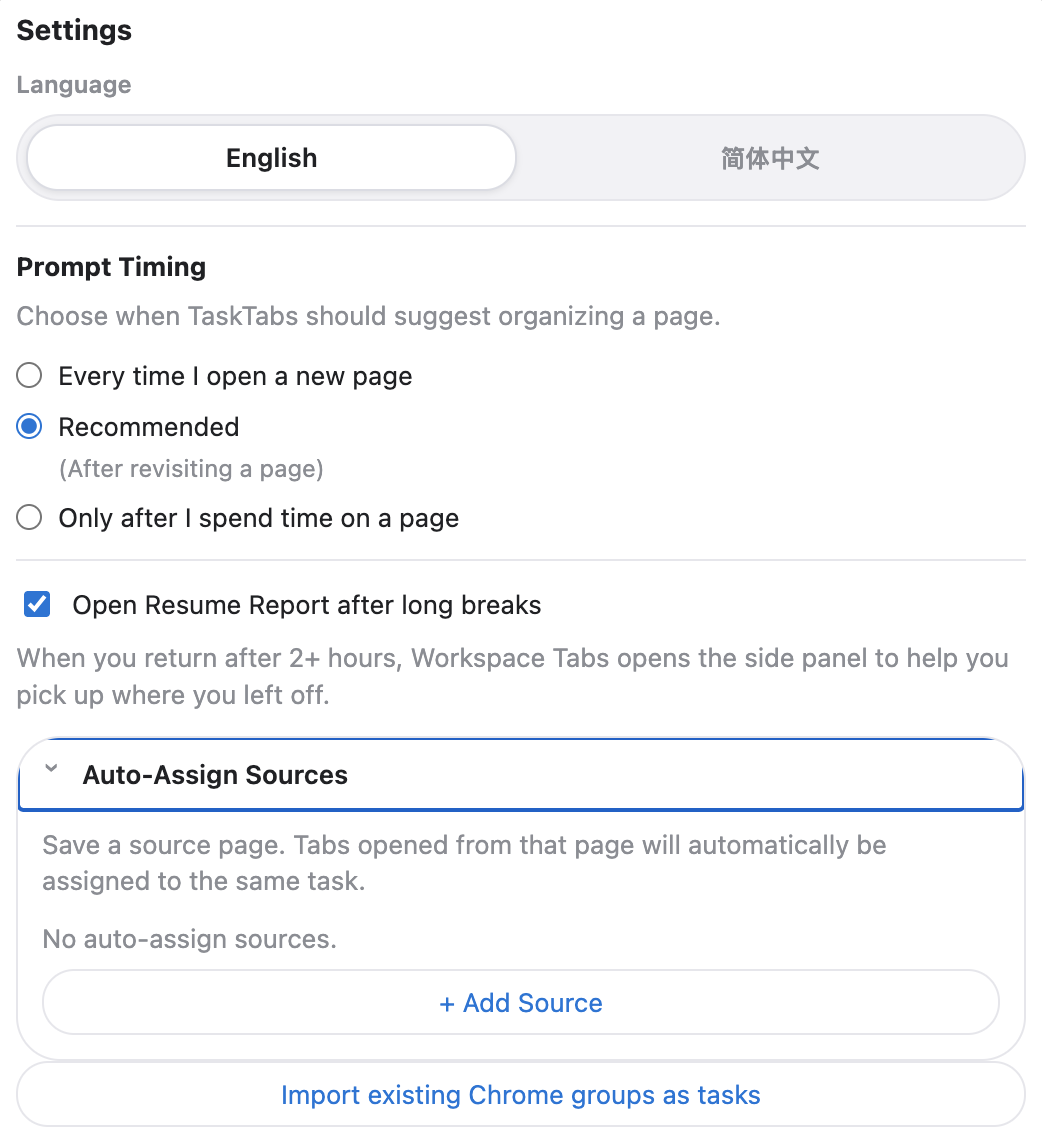
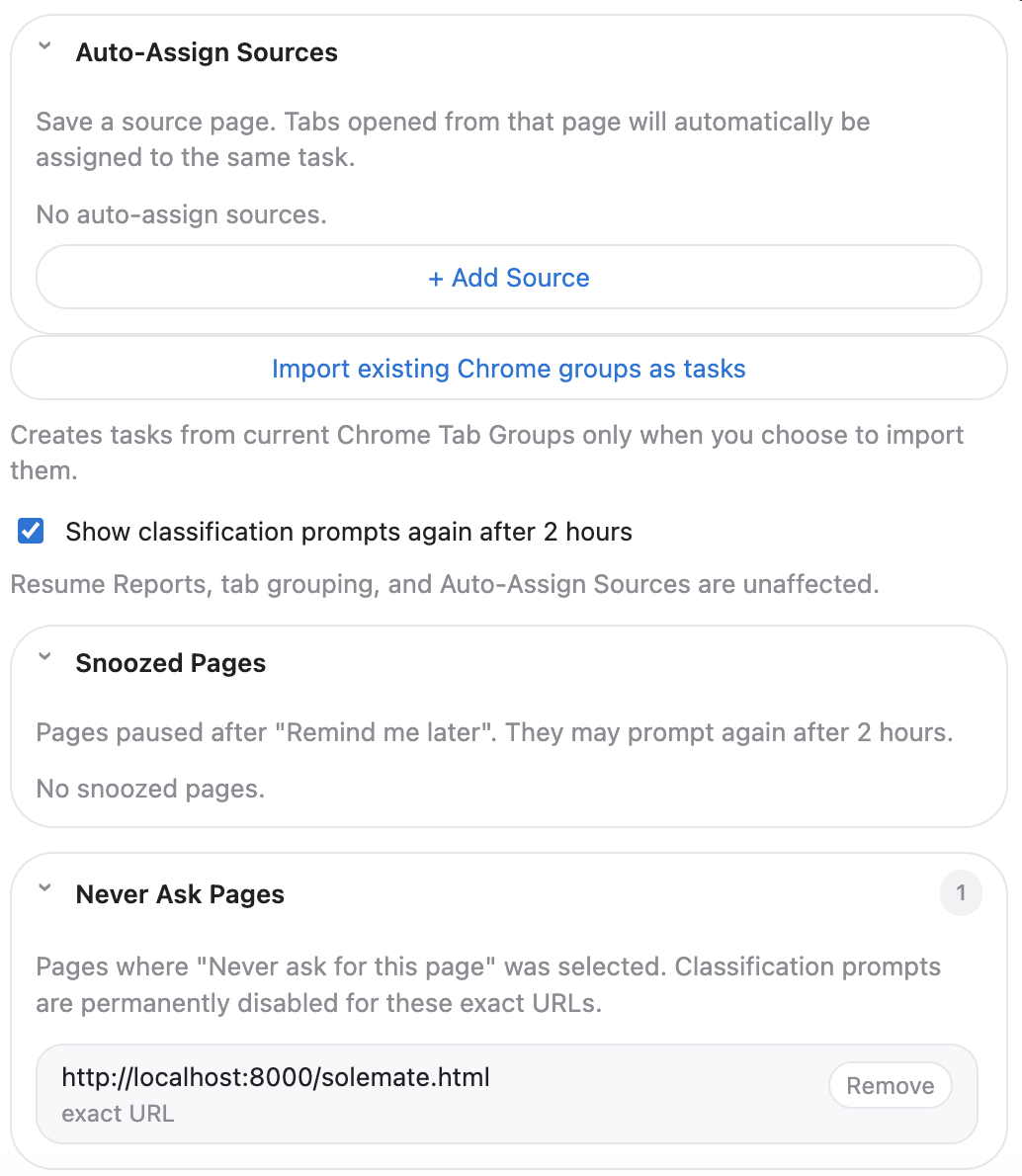
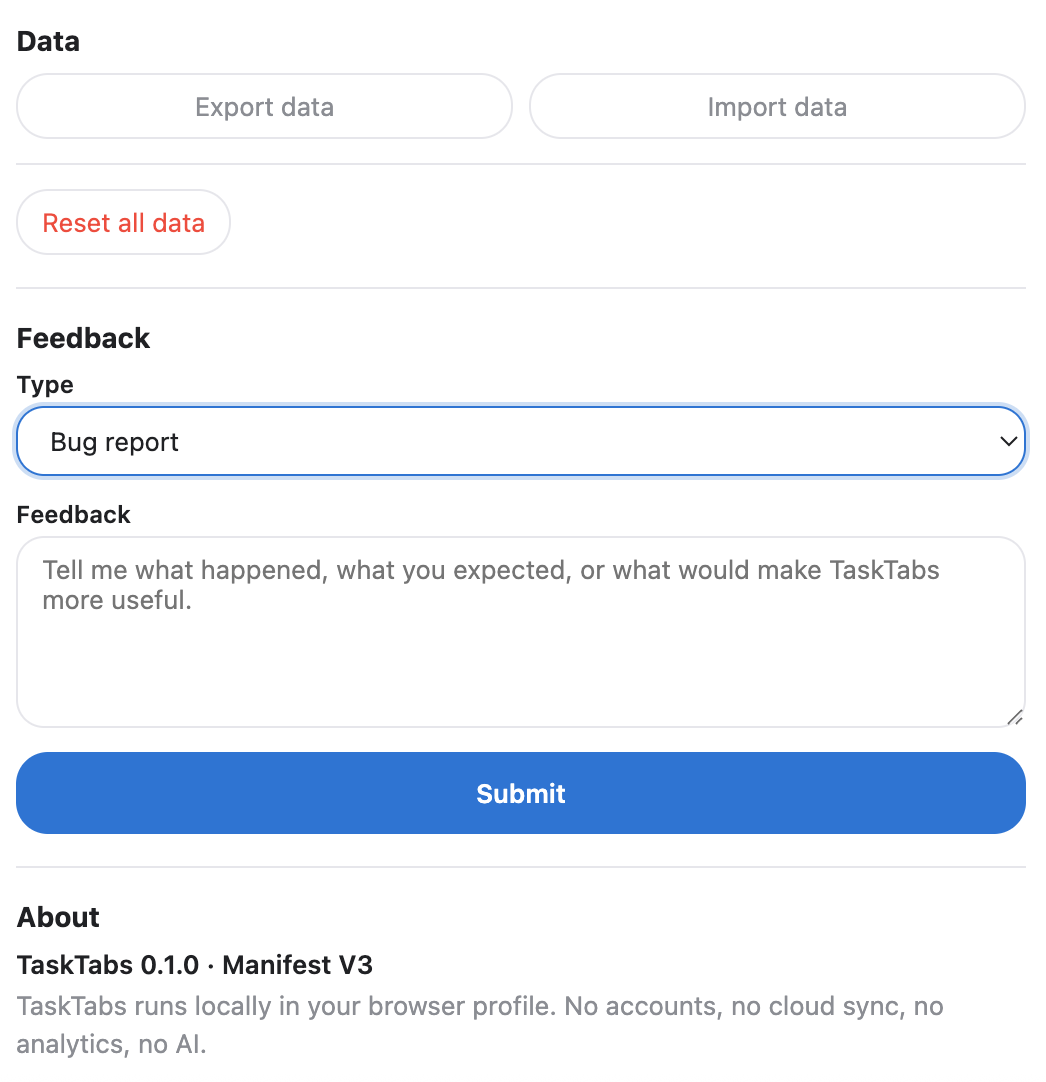
TaskTabs combines lightweight automation with transparent controls, including configurable prompt timing, auto-assign sources, snoozed pages, and manual override protection.
Users can reduce repetitive organisation while keeping automation predictable, explainable, and easy to correct.
The MVP avoids accounts, cloud sync, analytics, AI features, and page-content reading so users can trust the extension with sensitive browsing contexts.
Automation is useful only when users can inspect, override, and correct it. Manual assignment and override protection stay visible.
TaskTabs uses lightweight prompts and configurable timing instead of aggressive suggestions that interrupt focused work.
Building on Chrome Tab Groups and the Side Panel reduced adoption cost, even though it ties the MVP to one browser ecosystem.
I invited participants from the interviews to test the current MVP. I refined the extension based on feedback to reduce learning curve, improve control, and refine UI.
Bilingual onboarding support and a guided Side Panel walkthrough help users understand tasks, page classification, and auto-assignment.
Configurable prompt timing lets users decide when and how often TaskTabs should surface suggestions.
Timeout behaviour became page-specific, shorter, and paused during task selection to reduce interruptions.
Task renaming, tab notes, and batch editing actions help users adapt workspaces to evolving projects.
Manual Chrome grouping now carries the same meaning as assigning pages through TaskTabs.
Side Panel structure, visual hierarchy, and feature groupings were refined to reduce cognitive load.
Test whether Resume Reports reduce the time and effort needed to restart interrupted work.
Study how often classification prompts can appear before they become disruptive.
Review whether local-only metadata collection remains understandable and trustworthy to users.
Research pointed to a simpler problem than intelligence: people lose track of work across tabs.
Users appreciated automation only when they could understand, modify, or override it.
Integrating with Chrome Tab Groups and the Side Panel reduced the need to learn new workflows.
Letting users define their own tasks proved more valuable than optimising for one workflow.
Always happy to chat about research, design, or a good mystery.